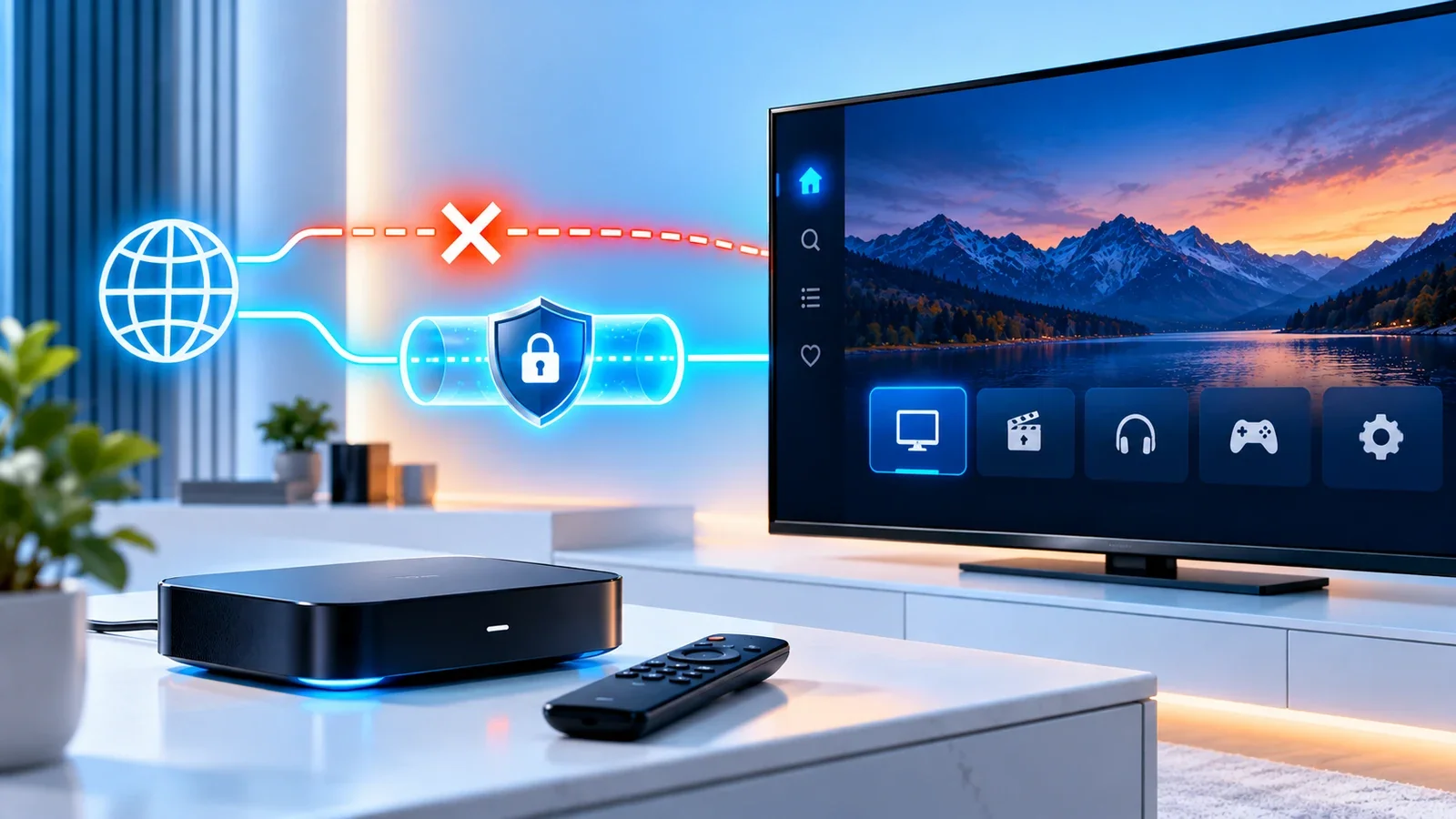
"Should I use a VPN with Xtream IPTV?" doesn't have one answer, because a VPN doesn't do one thing to your connection. It changes the route your data takes and adds a layer of encryption, and depending on your situation, that change can help, hurt, or make no noticeable difference at all. This guide explains what a VPN actually changes, when it's more likely to cause buffering rather than fix it, and how to test it on your own setup instead of guessing.
This isn't a VPN recommendation or a reason to use one if you don't already have a specific need to. It's a guide to understanding what one does to streaming performance if you're already using one, or considering one.
What a VPN Actually Changes About Your Connection
A VPN routes your traffic through an intermediate server and encrypts it along the way. Three things about that are relevant to streaming:
- Distance and routing. Your data no longer takes the most direct path to the destination — it detours through the VPN server first. A VPN server physically closer to the stream's source generally adds less delay than one farther away.
- Encryption overhead. Encrypting and decrypting data takes processing time and adds a small amount of overhead on top of the raw transfer. On a fast, stable connection this is usually negligible; on a connection that's already marginal, it can be the difference that tips a stream into buffering.
- Server capacity and congestion. A VPN server shared by many users at once can become a bottleneck in its own right, independent of your own connection or the stream's source.
None of these effects are fixed or guaranteed — they depend on which VPN server you connect to, how far away it is, how busy it is at the time, and how stable your own connection already was before adding a VPN into the path.
When a VPN Can Cause Buffering or Slower Playback
If a stream played smoothly without a VPN and started buffering after turning one on, the most likely explanations are the ones above: added distance, added encryption overhead, or a congested VPN server. A high-bitrate stream — one that already needs a fast, stable connection to play smoothly — is more sensitive to this added overhead than a lower-bitrate one, which is part of why the same VPN setup can look fine on one stream and struggle on another.
If switching the VPN off immediately resolves buffering that a VPN-on session has, that's a reasonably strong sign the VPN itself is adding more overhead than your connection can comfortably absorb — not proof of exactly which part of the VPN path is responsible.
When a VPN Might Help — and Its Limitations
There are situations where a VPN can plausibly help rather than hurt, though none of them are guaranteed outcomes:
- If your own network path to a server is unusually congested or poorly routed by your ISP, a VPN's different route can sometimes be more direct, not less — though this is specific to your situation, not a general rule.
- A VPN changes your visible network path, which in some cases can route around a specific point of congestion between you and the destination.
What a VPN cannot do is improve a stream that's failing for reasons unrelated to your network path — a low-resolution or heavily compressed source, a device that can't decode the stream properly, or a service-side outage. See IPTV picture quality problems if the picture itself looks wrong rather than the stream stuttering, since that's a different set of causes a VPN has no effect on either way. We're not aware of verified, consistent evidence that a VPN reliably "fixes" ISP-level throttling of streaming traffic specifically — some users report that outcome, but it isn't something this guide can confirm applies to your connection, and it shouldn't be assumed as the explanation for a buffering problem without actually testing it.
Why Server Location and Latency Matter
If you're going to use a VPN at all, server choice matters more than almost anything else for streaming performance. A server on a different continent from both you and the stream's source will almost always add more latency than one that's geographically closer to the direct path your traffic would otherwise take. If your VPN app shows latency or ping to each server location, a lower number is generally a better starting point — though it's still worth testing with an actual stream, not just the number alone, since a VPN's reported latency to its own server doesn't fully capture the rest of the route to the stream's source.
Testing With and Without a VPN
Comparing "VPN on" to "VPN off" only tells you something useful if the comparison is fair. A few things make it fair:
- Use the same device, the same stream or channel, and roughly the same time window. Comparing a VPN-off test from yesterday to a VPN-on test today isn't a controlled comparison — network and source conditions change over time regardless of the VPN.
- Test more than once in each state. A single buffering event could be a one-off network blip unrelated to the VPN. Repeating the test two or three times in each state gives you a more reliable read than one sample.
- Watch for the same failure pattern, not just "did it buffer." Note whether it stutters immediately, after a few minutes, or only on specific content — that pattern can matter as much as whether it happened at all.
- If possible, try more than one VPN server location before concluding the VPN itself is the problem, since a single congested server isn't representative of the VPN in general.
A VPN can also introduce compatibility issues separate from raw speed — some streaming sources behave differently when a connection's visible location changes, and a VPN connection dropping or reconnecting mid-stream can itself look identical to a plain network interruption. If you find your connection or login behaving differently only while a VPN is active, that's worth factoring into your comparison.
Split Tunneling and App Routing
Many VPN apps offer a "split tunneling" option that routes only chosen apps through the VPN while everything else on the device uses the normal connection. In principle, this lets you route your IPTV player through the VPN (or deliberately exclude it) without affecting every other app on the same device.
Support for this varies significantly by operating system and by VPN app — some platforms support per-app routing natively, others only through specific VPN apps, and some don't support it in any meaningful way. If your VPN app and device support it, split tunneling is a reasonable way to isolate the variable you're actually testing (your streaming app's connection) from everything else sharing the same network — but check your specific VPN app's current documentation for whether and how it's supported on your device, rather than assuming a universal menu path.
When to Contact Your ISP, VPN Provider, or Streaming Service
If you've tested fairly with the VPN both on and off, tried more than one server location, and the problem is consistent regardless — the VPN likely isn't the deciding factor, and the cause is more likely your underlying connection or the stream's source. In that case, see the full troubleshooting guide for the broader set of network and device checks.
If the problem only appears with the VPN on, and persists across more than one server location, that points toward the VPN path itself — worth raising with your VPN provider, since they're in the best position to explain what's happening on their network. If you suspect your ISP is treating streaming traffic differently in a way a VPN doesn't resolve, your ISP is the only party who can confirm that; this guide can't verify it from the outside, and it shouldn't be assumed as the explanation without actual evidence from your own testing.
Summary
A VPN changes your route and adds encryption overhead, which can help, hurt, or do nothing to your streaming performance depending on your specific connection and the server you choose. It can't fix a low-quality source or a decoding problem, and it isn't a guaranteed solution to buffering. Test fairly — same device, same stream, more than one comparison, more than one server location if you use a VPN at all — before concluding whether it's helping or hurting your setup specifically.