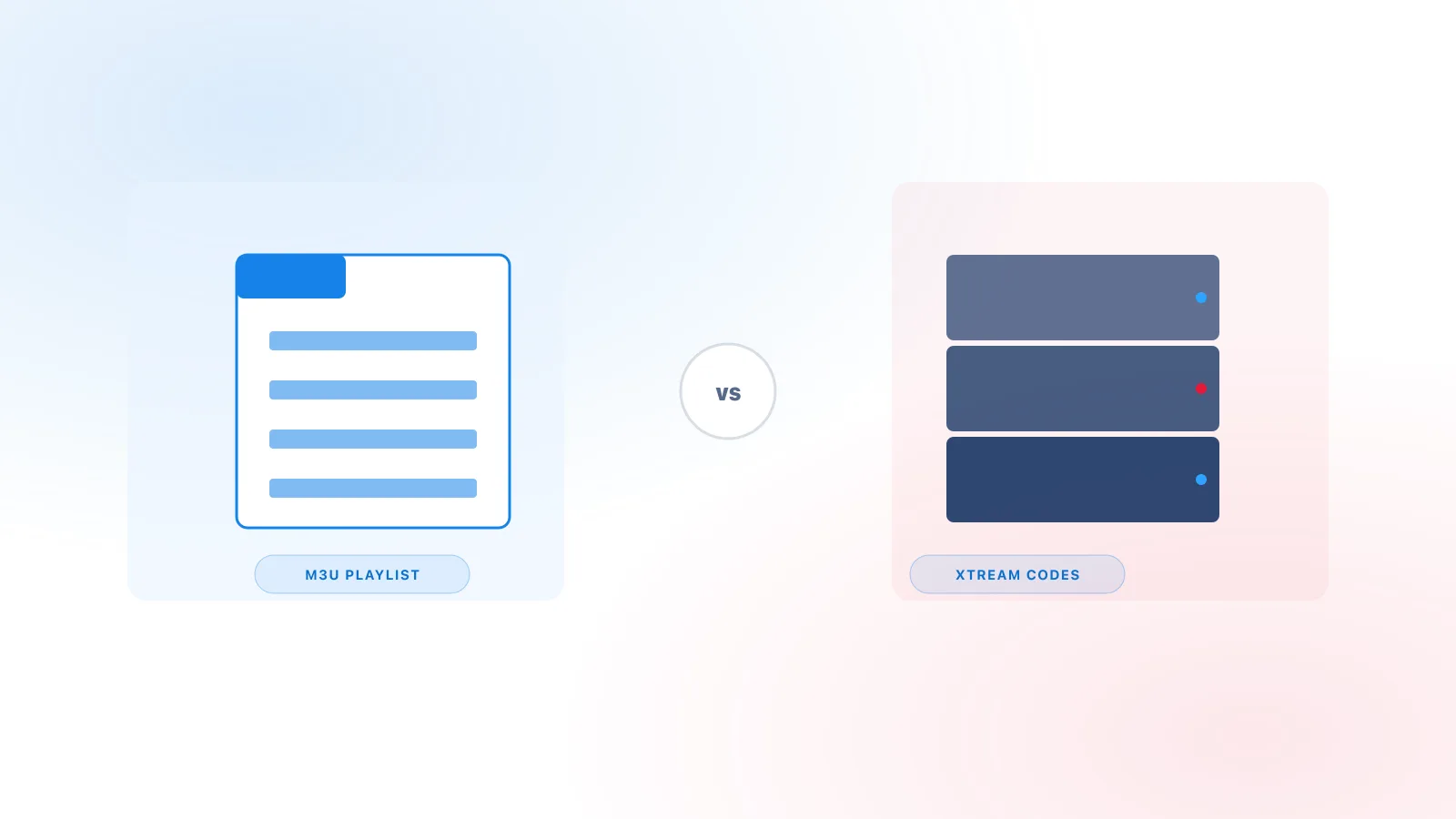
If you've spent any time setting up an IPTV player, you've likely seen two different login screens: one that asks for a single playlist link, and one that asks for a server address, username, and password. These correspond to two different connection methods — M3U and Xtream Codes — and understanding the difference helps explain why setup steps, guide data, and troubleshooting can look different depending on which one you're using.
What Is an M3U Playlist?
M3U is a plain-text playlist file format. Originally created for desktop music players in the 1990s, it was later adopted by IPTV players because its structure — a simple list of entries, each pointing to a stream — turned out to work just as well for live TV and video-on-demand links as it did for songs.
A typical M3U file starts with a header line, then repeats a two-line pattern for each entry: one line of metadata (channel name, logo, category) followed by the actual stream URL. When you give a player an M3U link, it downloads that file, reads through the entries, and builds a channel list from whatever it finds.
A few things follow from that structure:
- M3U is a container, not a license. The file only holds URLs and labels. It says nothing about whether the streams it points to are authorized — that depends entirely on whoever controls those URLs, not on the M3U format itself.
- Anyone with the link can load it. Unlike a username/password pair, a plain M3U URL typically isn't tied to an individual account unless the provider adds its own access controls (such as embedding a token in the URL).
- It's a static snapshot. The player fetches the file, and typically has to re-fetch it later to see any changes the provider made — an M3U link doesn't inherently support the kind of interactive "browse by category" API calls Xtream Codes does.
What Are Xtream Codes?
"Xtream Codes" refers to a login format — sometimes called an API — that a compatible player uses to authenticate with a provider's server using three pieces of information: a server URL, a username, and a password. Instead of downloading a single static file, the player makes ongoing requests to the server, which responds with structured data: channel lists, categories, video-on-demand libraries, and program guide (EPG) information, organized in a way the player can render directly.
A few important distinctions:
- It's a technical standard, not a service. The name refers to the connection format, not any single company or content library. The term originated from backend software historically used by IPTV operators to manage subscriber accounts, but "Xtream Codes login" today just describes the username/password/server-URL connection pattern that format popularized.
- Authentication is required. Because it uses credentials tied to an account, a provider can issue, track, or revoke individual logins in a way a plain M3U link generally can't support on its own.
- The technology itself doesn't determine legality. Whether a given Xtream Codes-based service is authorized to distribute its content depends entirely on that provider and the rights it holds — not on the fact that it uses this particular login format. The same is true of any streaming technology; the format is neutral.
What Is an Xtream Server?
When people search for "Xtream server," they're usually asking about the same thing described above from a different angle: the server side of an Xtream Codes connection — the endpoint an IPTV service runs, which a compatible player connects to using a server URL, username, and password. It isn't a specific standardized product you install or a particular company; it's simply the service endpoint that responds to Xtream Codes-style API requests, whatever software a given provider happens to run behind it.
Breaking the login down into its parts: the server URL points the player to the correct host, while the username and password authenticate that specific connection. Together, these three fields are what a player sends to the server on your behalf, and what the server checks before returning your channel list, VOD library, and EPG data. None of this requires special technical knowledge to use — you're just entering values your provider gives you — but understanding what each field represents makes it much easier to spot where a setup has gone wrong.
It helps to keep the server and the player conceptually separate. The server is the side that holds and serves the actual content; it's operated by your provider, not by the app on your device. The player is the software you install — see how a player actually works for a full breakdown — and its only job is to connect to whatever server you point it at and present the content that comes back. A player with no server behind it has nothing to show.
This is also where M3U and Xtream Codes diverge, as covered above: an M3U link points to a static playlist file, while an Xtream server responds to ongoing, authenticated API requests. Both are ways of getting a player connected to a service, just structured differently.
Because the server is where login and connection details actually get validated, most "server URL," "host," "login failed," or "authorization" errors trace back to something on that side of the connection — a typo in the address, incorrect credentials, or an issue with the provider's service itself, rather than the player app. See our troubleshooting guide for how to work through those errors systematically.
M3U vs Xtream Codes
| M3U | Xtream Codes | |
|---|---|---|
| Format/input | A single playlist URL (or file) | Server URL + username + password |
| Typical information provided | Channel names, logos, and stream links in one static file | Structured channel, VOD, category, and account data returned on request |
| How players use it | Downloads and parses the file once, then reloads it periodically | Makes ongoing API requests to the server as you navigate |
| EPG considerations | Not included by default — a separate XMLTV guide URL is usually needed | Guide data is typically included as part of the same connection |
| Usability | Very simple — one link to paste | Requires three separate fields, but often a more organized in-app experience |
| Technical flexibility | Works with almost any player that supports playlists, including general-purpose media players | Requires the player to specifically support the Xtream API |
| Licensing implications | None inherent — depends entirely on the source of the playlist | None inherent — depends entirely on the provider operating the server |
Neither method is "more legitimate" than the other. Both are just transport mechanisms; what matters is who controls the server or file on the other end and whether they have the rights to what they're distributing.
Which One Should You Use?
There's no universal answer — it depends on:
- What your provider actually supplies. If you were given a single link, you're using M3U. If you were given a server address plus a username and password, you're using Xtream Codes. You generally can't choose a format your provider doesn't offer.
- What your player supports. Some players (like general-purpose media players) only handle M3U. Others support both. Check your specific player's login options before assuming either will work.
- Your device. Certain setup flows are easier on some platforms — see our device setup guides for platform-specific steps.
- Whether you want EPG data bundled in. If a program guide matters to you and your provider offers an Xtream Codes login, it usually saves you from separately configuring an XMLTV guide URL — see Xtream IPTV EPG Explained for more on how that works.
Compatibility With Players
Most modern IPTV player apps support both connection methods, though this varies by app and isn't guaranteed. For general context on what a "player" actually is and how it relates to your connection method and provider, see Xtream IPTV Player Explained, which also lists independent examples of compatible player apps. As with anything in this space, always confirm a specific player's supported login methods on its own listing or documentation rather than assuming compatibility — Kodi's built-in client, for example, only accepts an M3U playlist rather than an Xtream Codes login; see our Kodi IPTV setup guide for that specific limitation.
Troubleshooting
Most problems with either method come down to a handful of causes:
- Malformed playlist URL — a truncated or incorrectly copied M3U link will fail to load; make sure the entire URL, including any parameters at the end, was copied.
- Incorrect credentials — for Xtream Codes logins, double-check the server URL, username, and password for typos or extra spaces; these fields are case-sensitive.
- Expired subscription — if a connection that used to work suddenly stops, confirm with your provider that your subscription (and its associated access details) is still active.
- Player incompatibility — not every player supports every login method; if a field you need isn't available in your player's login screen, the app may simply not support that connection type.
- EPG configuration mismatch — with M3U, a missing guide usually means the separate XMLTV URL wasn't entered or isn't supplied; with Xtream Codes, see Xtream IPTV EPG Explained for common causes.
- Network/connectivity issues — both methods require a stable internet connection to fetch data; see our full troubleshooting guide for connection-specific steps.
FAQ
Is M3U the same as Xtream Codes? No. M3U is a playlist file format; Xtream Codes is an authenticated login/API format. A provider might offer content through either or both.
Can a player support both? Yes, many popular IPTV players support both an M3U/URL login option and an Xtream Codes login option — check the specific player's login screen to confirm.
Does M3U automatically include EPG? Not by default. M3U playlists typically only list channels; a separate XMLTV guide URL usually needs to be added for program guide data.
Are Xtream Codes themselves a content license? No. Xtream Codes is a connection format. It says nothing about whether the operator on the other end has the rights to the content it serves — that depends on the provider, not the login method.
Which format should I use? Whichever your legitimate provider actually gives you. Most users don't get to choose between the two for a given service — the provider determines which connection method(s) it supports.
Conclusion
M3U and Xtream Codes are two different ways for a player to connect to a service — one a static playlist link, the other an authenticated API-style login. Neither is inherently better, and neither format determines whether the content behind it is authorized. What actually matters is your provider and the player you choose to connect with it. For the broader picture of how these pieces fit together, see What Is Xtream IPTV?